
Map audit findings to code
Identify shared causes, affected routes, reusable fixes, and verification steps instead of editing pages one by one.
SearchSignal connects live SEO context to Cursor, Claude Code, Windsurf, VS Code, and custom agents so developers can trace recommendations to the routes, components, and systems that control them.
A report can identify duplicate titles, missing canonicals, orphan pages, weak internal links, or slow templates. The developer still has to discover whether the root cause lives in a shared component, CMS field, route generator, rendering mode, or deployment behavior. SearchSignal lets the coding agent retrieve the evidence while it can inspect that system.
The product is strongest when it compresses a multi-tab research task into a reliable briefing and a concrete next action.
Identify shared causes, affected routes, reusable fixes, and verification steps instead of editing pages one by one.
Compare a branch with current project priorities and catch metadata, indexability, schema, or internal-link regressions.
Use keyword clusters and page intent to create scalable routes with unique data, useful content, and safe canonical behavior.
Turn known audit risks into route tests, metadata validation, structured-data checks, and release gates.
Use Search Console and audit evidence to identify performance or UX changes with a realistic search payoff.
Attach the project evidence and acceptance criteria to the implementation so reviewers understand why the change exists.
Ask for the latest audit, opportunity queue, keyword target, or workspace pack before the agent starts proposing code.
Let the coding agent trace each finding through the repository, framework, CMS integration, routing, and deployment behavior.
Make the smallest reusable change, validate affected URLs, and rerun the audit or performance review after release.
SearchSignal retrieves the live project context; the prompt defines the decision, format, and next owner.
No. The MCP-first positioning is deliberately strong for developers and technical founders who want search evidence inside coding agents.
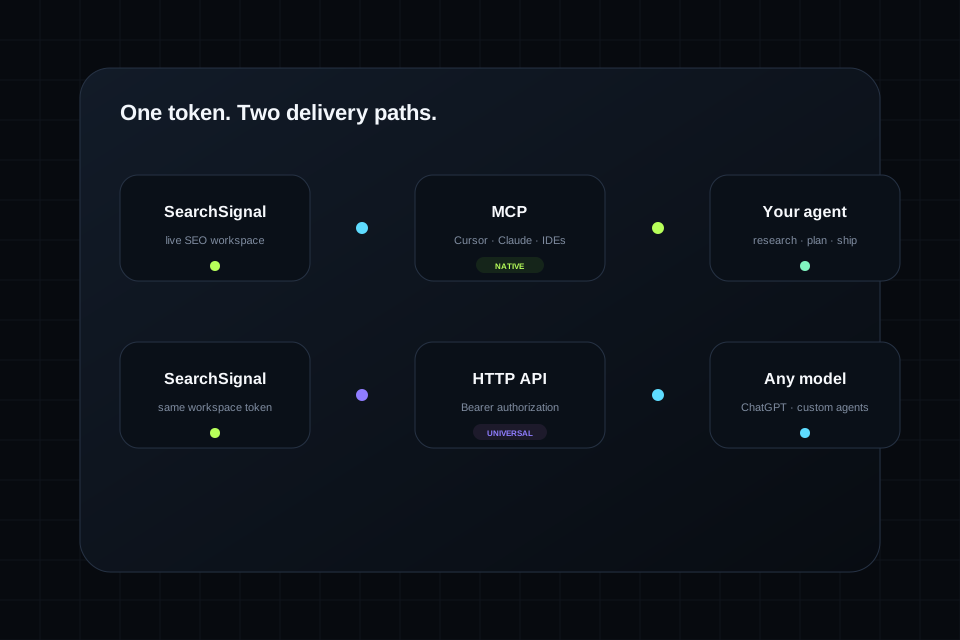
SearchSignal publishes connection paths for Cursor, Claude Code, Windsurf, VS Code and Copilot workflows, Continue.dev, Cline, Zed, and HTTP agents.
SearchSignal supplies workspace evidence. The connected coding agent and its permissions determine whether code is inspected, proposed, or changed.
The HTTP API can support custom automation, but production CI behavior should be built against the live documented API contract and secure token handling.
Start with a real project, connect the agent you already trust, and turn the current workspace into an ordered work queue.