
Crawl health
See the current score and the issue categories pulling it down, without losing the underlying URLs.
SearchSignal crawls the site, groups technical and on-page findings, scores health, and converts the evidence into a prioritized opportunity queue your AI can retrieve in the environment where the fixes will be made.
Most audit workflows stop at a long issue table. SearchSignal keeps page-level evidence, but adds severity, expected impact, effort, status, and a project-aware order of operations so the next question can be: what should we fix first, and where in the code does it live?
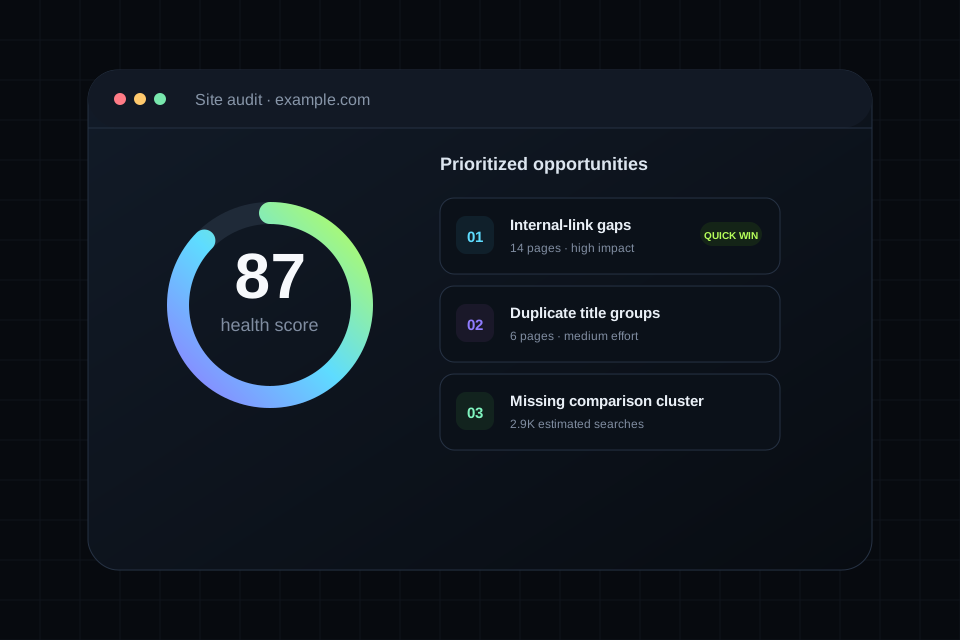
SearchSignal preserves enough detail for a person to review the reasoning and enough structure for a model to turn the result into work.
See the current score and the issue categories pulling it down, without losing the underlying URLs.
Keep related technical and on-page findings together so the agent can plan one reliable fix instead of many isolated edits.
Return the affected URL, the detected condition, and the context needed to verify the recommendation.
Separate urgent work from noisy work by comparing likely value with the complexity of implementation.
Track whether an item is open, planned, in progress, completed, or intentionally dismissed.
Use the live audit in Cursor, Claude, Windsurf, VS Code, ChatGPT workflows, or your own HTTP agent.
Add a domain and run the audit. SearchSignal captures the technical and on-page state of the pages within the plan limit.
Convert issue groups into opportunities, compare impact and effort, and identify the small set that deserves attention now.
Ask for the latest audit, inspect the repository, and produce a file-by-file implementation and verification plan.
The best prompts name the project, request the supporting evidence, and specify the format of the handoff.
The published Free plan supports audits up to 25 pages. Pro supports audits up to 75 pages.
Yes. The product is designed to preserve page-level issue details rather than returning only a score.
Yes. The latest audit and prioritized opportunities are core examples of the SearchSignal MCP and API workflow.
The audit and agent connection provide evidence and plans. Whether an agent applies changes depends on the permissions and tools in your coding or automation environment.
Create a free workspace, connect the client you already use, and put this capability inside the agent workflow.