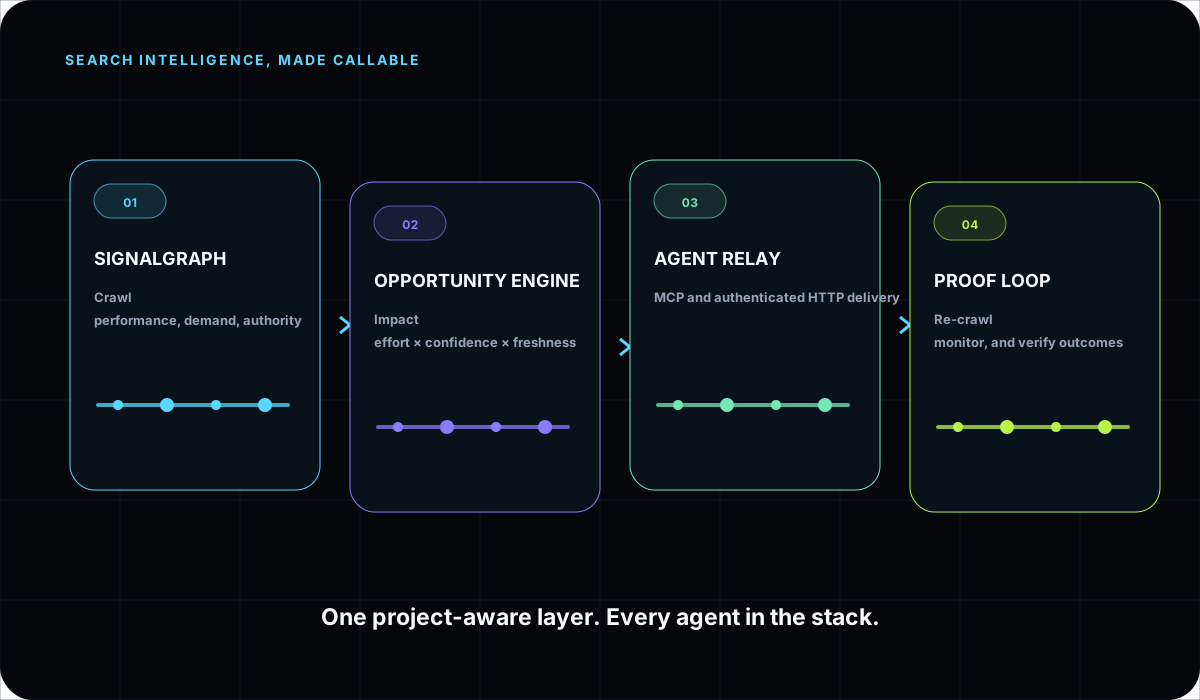
Search intelligence, made callable. One project-aware layer for every AI agent.
SearchSignal product tour

From live search signal to work your agent can ship.

Explore the complete AI SEO operating loop: connect a workspace, inspect current evidence, choose the next move, deliver context to an agent, and verify what changed.

Illustrative product screensReal workflow architectureNo customer-result claims
01 · Source-awareKnow where the evidence came from.Measured performance, crawl findings, licensed metrics, and saved research remain distinguishable.
02 · Project-scopedKeep context attached to the workspace.Domains, audits, lists, priorities, and history stay connected instead of becoming another export.
03 · Agent-deliveredCall the workspace through MCP or HTTP.Use the same authorized evidence in Cursor, Claude, ChatGPT, Windsurf, VS Code, and custom agents.
04 · Human-reviewableInspect the decision before it ships.The interface remains available while the agent handles retrieval, synthesis, and handoff.
Nine connected workspaces

One project picture, shaped for each decision.

Each screen solves a different part of the same operating problem. Together they give people and agents a current, defensible order of operations.

01

Overview: know what matters now.

See technical health, real search movement, open opportunities, connected agents, workspace coverage, and the highest-leverage queue in one operating view.

Separate current evidence from illustrative or estimated dataOpen the most important opportunity without hunting through modulesPrepare a compact workspace pack for the agent doing the work
Open Overview →
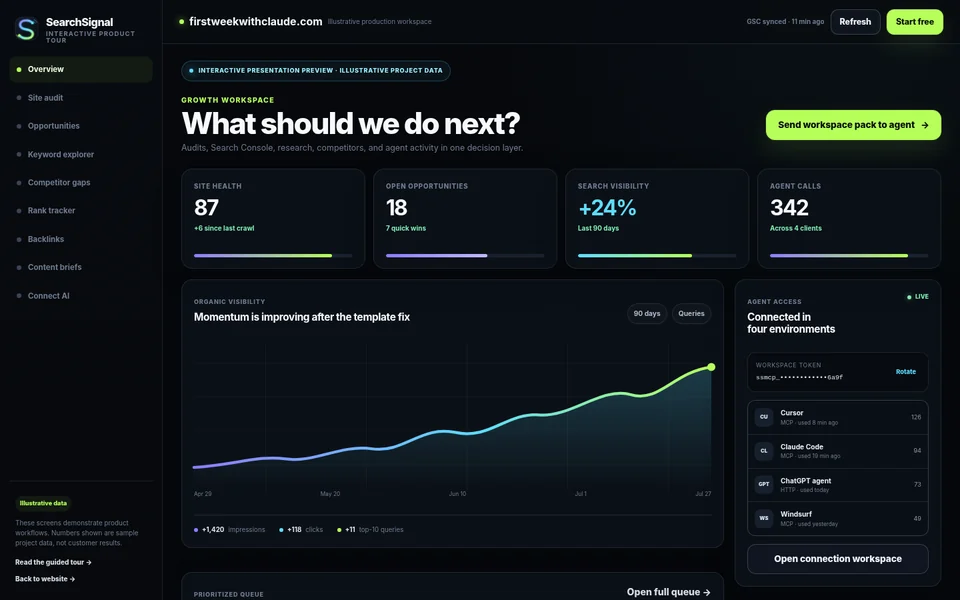
SearchSignal overview screen with illustrative project metrics
02

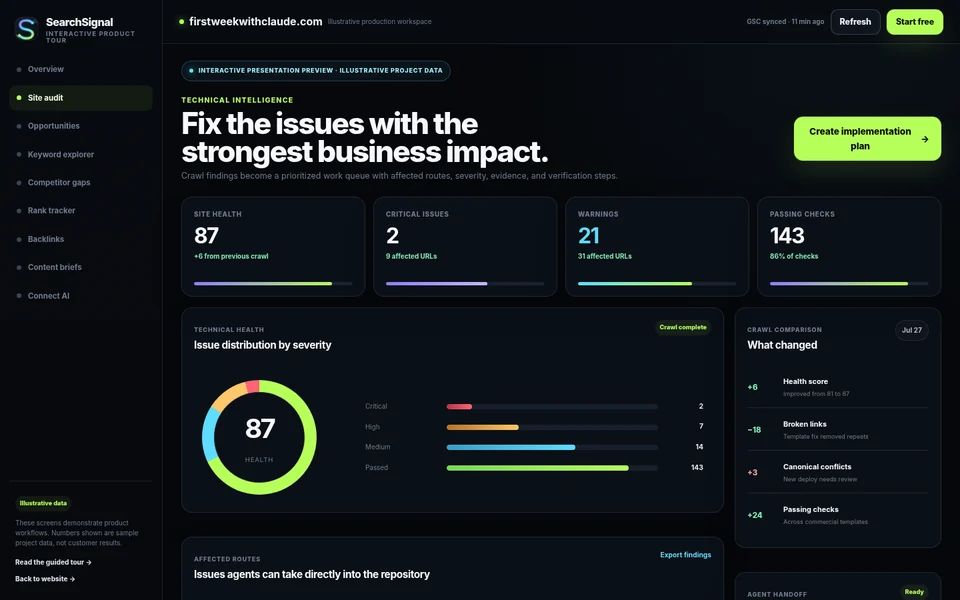
Site Audit: turn findings into fixes.

Move past issue counts. SearchSignal attaches severity, affected routes, impact, ownership, crawl history, and verification context to the technical problem.

Compare the current crawl with previous runsInspect the routes and templates behind a repeated issueSend repository-ready context to a coding agent
Open Site Audit →
SearchSignal technical site audit screen
03

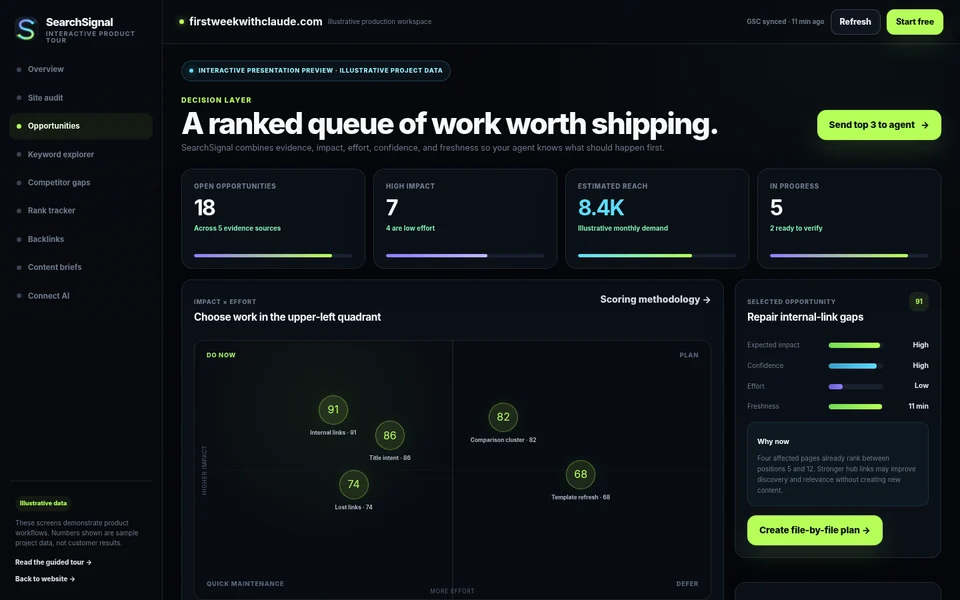
Opportunities: make the order defensible.

Rank work using expected impact, effort, confidence, source evidence, and freshness so the next task is more than whoever shouted loudest.

Visualize the impact-versus-effort fieldKeep evidence and workflow status attached to each itemMove from opportunity to plan, implementation, and verification
Open Opportunities →
SearchSignal prioritized SEO opportunities screen
04

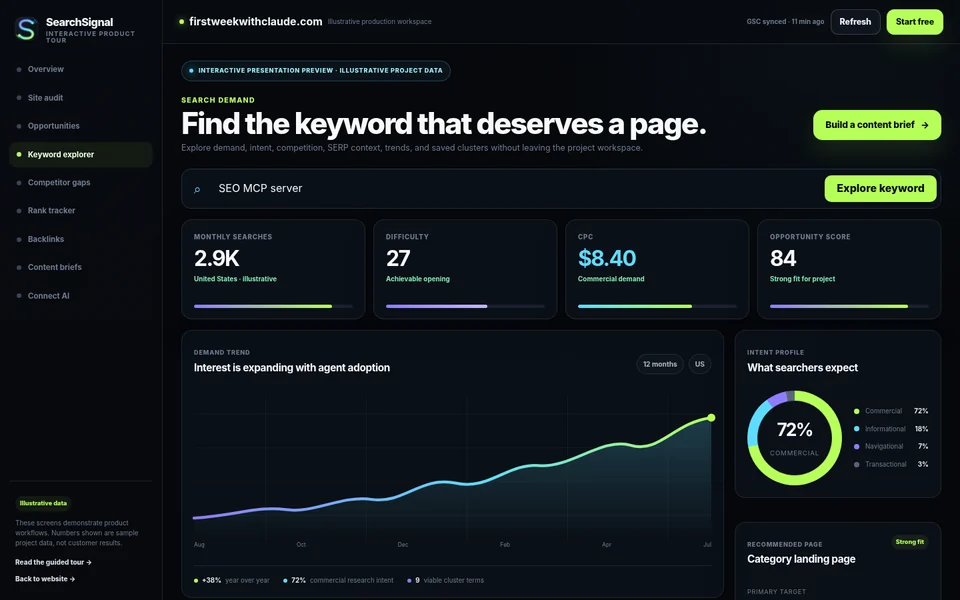
Keyword Explorer: decide which page to build.

Bring demand, difficulty, CPC, intent, trends, SERP composition, clusters, and project fit into one research surface with a clear recommended asset.

Group terms around the page they should becomeDistinguish commercial evaluation from informational supportCarry the selected cluster directly into a content brief
Open Keyword Explorer →
SearchSignal keyword research and intent screen
05

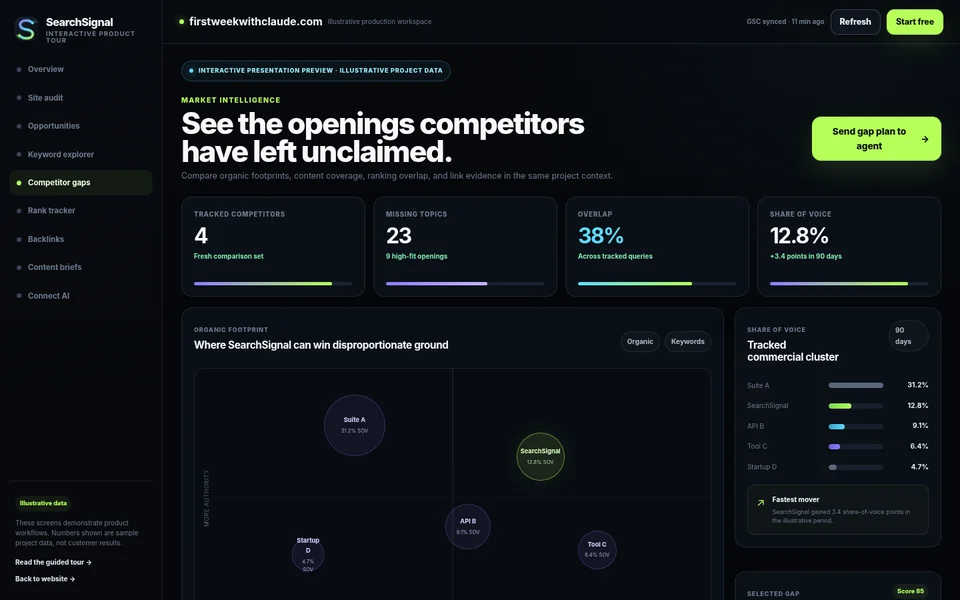
Competitor Gaps: find the opening that fits.

Compare topic coverage, organic footprint, share of voice, authority, and ranking overlap to identify gaps your project can realistically own.

Avoid giant gap exports without project relevancePrioritize the topic, page type, and audience togetherTurn the strongest opening into a winning-page plan
Open Competitor Gaps →
SearchSignal competitor gap and share of voice screen
06

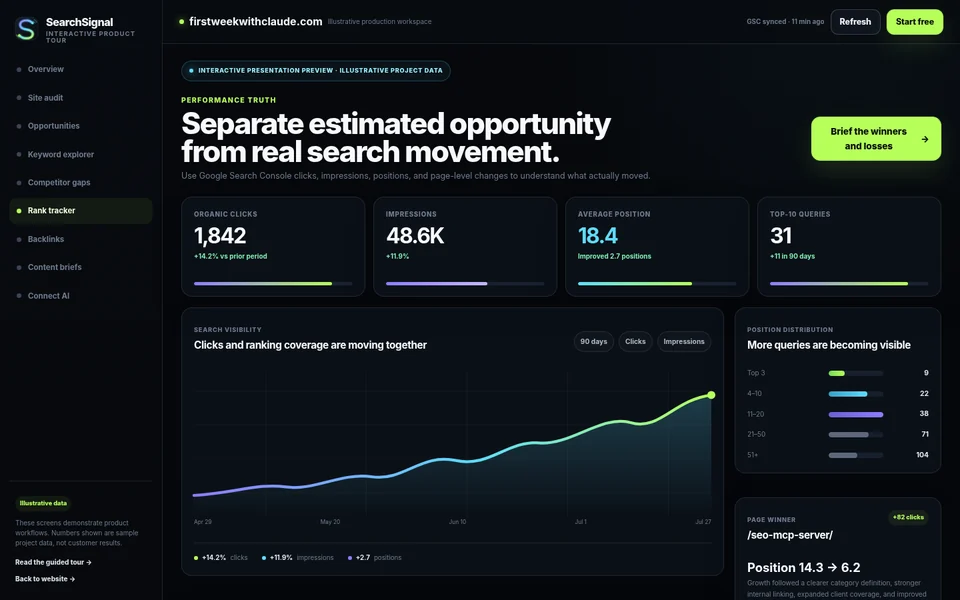
Rank Tracker: measure what actually moved.

Use Google Search Console clicks, impressions, positions, query movement, and page-level winners or losses to validate the decisions made elsewhere.

Separate real performance from estimated market opportunitySee which queries and pages changed the business pictureAsk the agent to explain what likely worked and what needs review
Open Rank Tracker →
SearchSignal rank tracking and Search Console performance screen
07

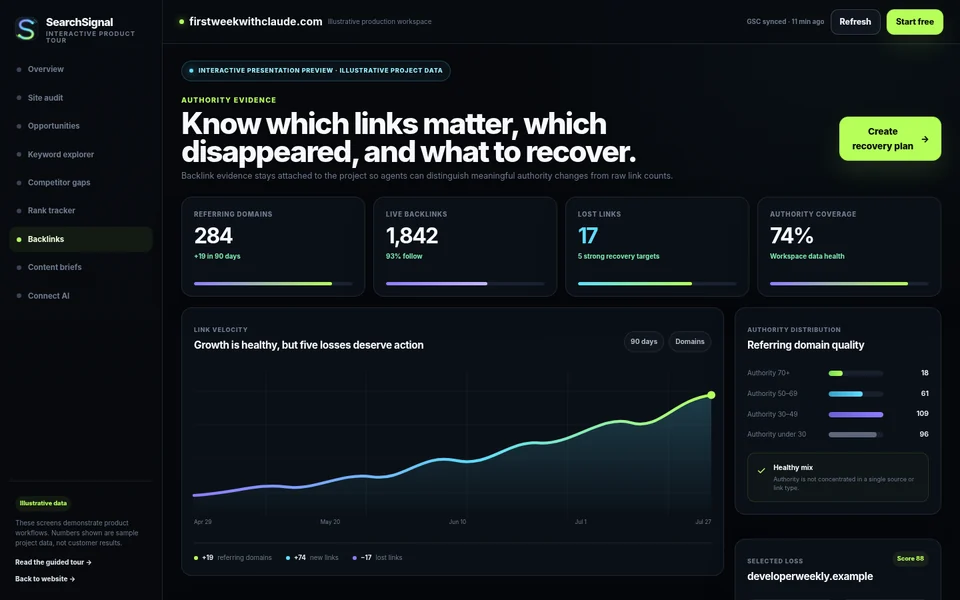
Backlinks: recover authority with context.

See referring-domain growth, authority distribution, meaningful losses, target routes, and the recovery action rather than treating every link as equal.

Distinguish high-value losses from noisy changesAttach source, target, timing, relevance, and recommended actionCreate redirect, reclamation, or outreach tasks from evidence
Open Backlinks →
SearchSignal backlink evidence and recovery screen
08

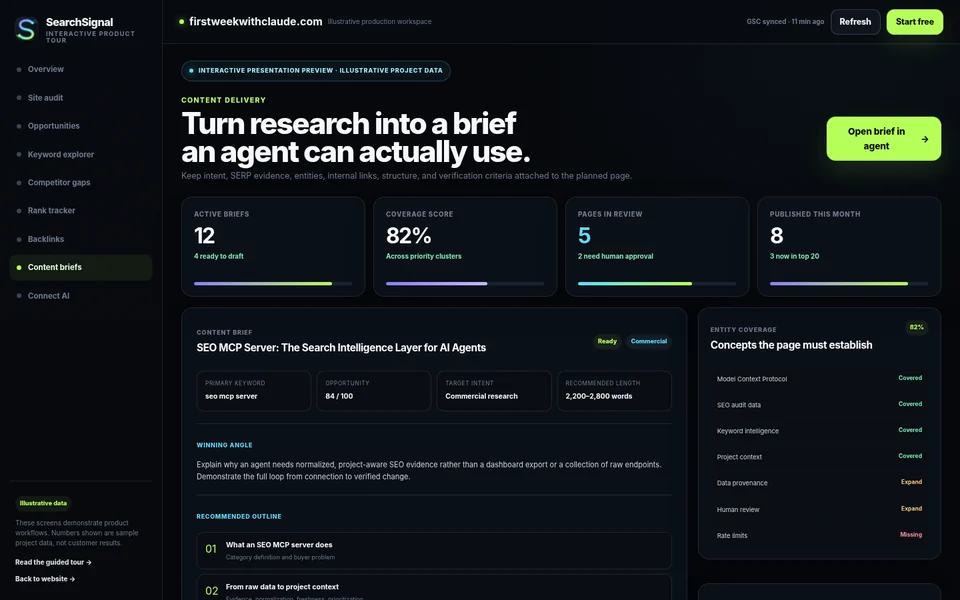
Content Briefs: keep the research attached.

Package the primary target, intent, angle, evidence, outline, entities, internal links, and delivery route so the next agent starts with a reliable specification.

Preserve why the page should exist, not only what to writeExpose entity and internal-link coverage before draftingDeliver the same brief to Cursor, Claude, or a portable file
Open Content Briefs →
SearchSignal content brief and entity coverage screen
09

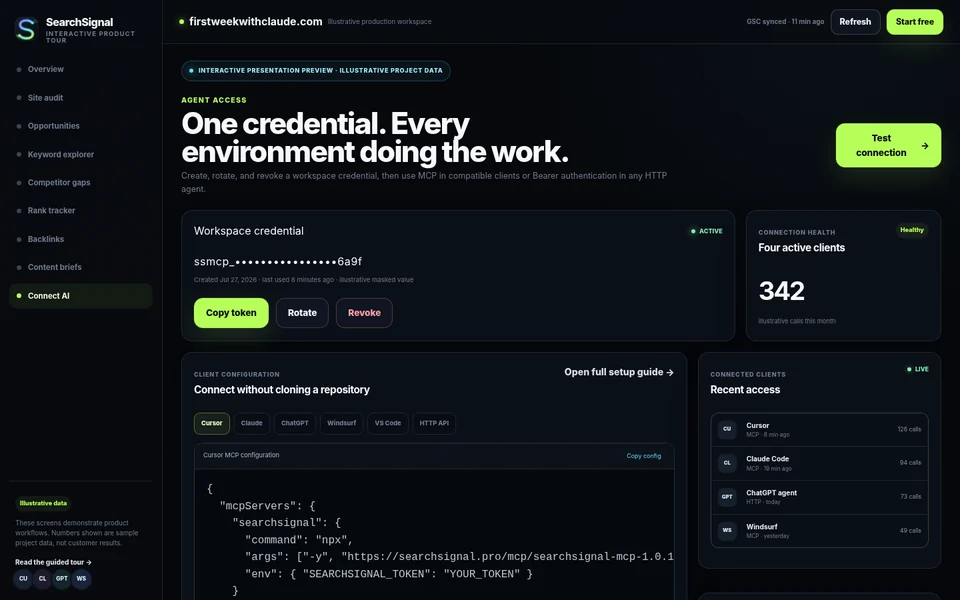
Connect AI: one credential for the stack.

Use MCP in compatible clients and Bearer authorization in HTTP agents. Create, rotate, and revoke access from one workspace while preserving server-side authorization.

Copy client-specific configuration without cloning a repositorySee recent authorized clients and illustrative tool activityStart with prompts that retrieve current workspace evidence
Open Connect AI →
SearchSignal AI client connection screen
The product behind the page

Show the product before asking for belief.

The product tour gives a buyer a concrete view of each workspace and the evidence-to-action loop before signup.

01Inspect distinct workspace states.
02See how the agent receives context.
03Understand what remains human-reviewable.
SearchSignal visual: Show the product before asking for belief.
The product tour gives a buyer a concrete view of each workspace and the evidence-to-action loop before signup.
Connect once. Ask anywhere.

Build your first live SEO workspace.

Start free, connect one credential, and let your AI retrieve current project context from the environment where the work will happen.